IT Assistance for Seniors: How to Stay Connected with Pe...
Askaide local guide · Belgique + EN
IT Assistance for Seniors: How to Stay Connected with Personalized Help?
Personalized Training: Learn to Master Modern Technologies
Updated 18 May 20262 min readcomputing
Key takeaway
Master modern technologies with IT assistance for seniors. Learn how to stay connected, secure, and independent with personalized in-home support.
Local signals
Bruxelles, Bruxelles, Liège, Namur : local content without changing the language.
Direct action
Compare profiles, filter by city and contact from Askaide search.
The presence of digital technology in daily life can lead to many adaptation issues for seniors. In case of difficulty, computer assistance may be necessary.
Practical and easy to use, Askaide is a platform for mutual assistance among individuals that offers you dozens of free ads for all your needs, from getting started with your equipment to solving internet connection problems to completing online procedures.
Personalized training: learn to master modern technologies
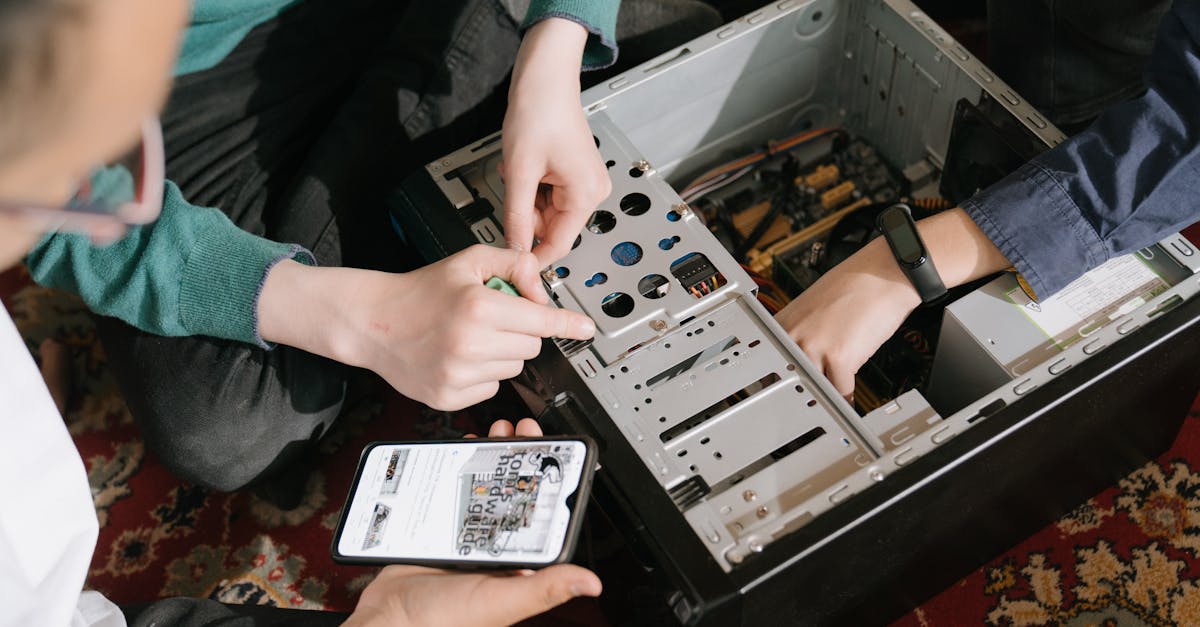
Regardless of your starting level, in-home training can help you progress towards digital autonomy. Discover how all your devices work: computer, smartphone, tablet, and smart devices, then get started on the basics of digital technology to enjoy the many services offered by the internet:
Access to a wealth of information: news, recipes, weather... Entertainment: brain games, video platforms... Assistance with daily life: grocery delivery, scheduling medical appointments... Online administrative procedures: taxes, social assistance applications... For seniors, digital technology is also a valuable tool for maintaining social connections and communicating with loved ones.
With the assistance of an individual in your region, create an account on social networks to follow your family and friends' news, reconnect with old acquaintances, or make new connections. Also, learn how to send emails or use phone apps to organize video calls with your children and grandchildren.
Technical support and cybersecurity: stay connected with confidence
Having good equipment is important to fully enjoy new technologies.
Being assisted by a competent person is preferable when choosing, setting up, and configuring your equipment. Whether you need help setting up your smartphone, updating your computer, or installing new software, good support ensures optimal use and peace of mind.
Despite its many attractions, the internet poses risks for beginners such as hacking, theft of personal data, scams, or viruses.
With recommendations from experienced individuals, ensure your online security and protect your privacy to browse with peace of mind.
In case of breakdown or bug, panic can quickly set in, but again, it is useful to call on an individual to help you out, solve your technical problems, or restore your internet connection.
Using the internet may seem challenging for many elderly people, but with effective guidance and tailored training, it is entirely possible to become self-sufficient and fully benefit from this incredible tool.
Overcoming fear of technology: how can seniors stay connected with loved ones?
Fear of technology often prevents seniors from using digital tools. Start by introducing user‑friendly devices with clear, large interfaces and demonstrate how to use basic functions such as video calls or messaging. Provide patient, step‑by‑step guidance, repeat instructions as needed, and highlight the positive outcomes of staying connected. Encourage regular practice and reassure them that making mistakes is part of learning. Setting up security settings and bookmarking trusted contacts can also help seniors feel comfortable reaching out to loved ones online.
How can seniors protect their personal information when using digital services?
Use strong, unique passwords, enable two-factor authentication, keep software and antivirus up to date, avoid clicking suspicious links or emails, and only enter information on secure sites (https). Adjust social media privacy settings, don't share sensitive data on unsecured Wi-Fi, and consult a trusted helper if in doubt.
What simple digital tools can seniors use to stay connected with their family?
Seniors can use user-friendly video calling apps like Skype, Zoom and FaceTime, as well as messaging apps like WhatsApp or Messenger to share photos and have conversations. Devices with simplified interfaces, such as tablets with large icons, are helpful. Setting up an email account and joining family groups on social networks can also keep them connected.Quels outils numériques simples les seniors peuvent-ils utilise
We use cookies to improve your browsing, deliver personalized content and analyze our traffic. By clicking “Accept All”, you consent to our use of cookies.
We use cookies to help you navigate efficiently and perform certain features. Below you will find detailed information on all cookies classified by category.
Cookies classified as “Necessary” are stored in your browser as they are essential for the proper functioning of the site.
We also use third-party cookies that help us analyze your use of the site, remember your preferences and provide you with relevant content and advertising. These cookies will only be stored with your prior consent.
You can enable or disable some of these cookies, but disabling some of them may affect your browsing experience.
Necessary
Always active
Necessary cookies are essential for the basic functioning of the site: secure login, session management and consent preferences. They do not store any personally identifiable data.
Cookie
Duration
Description
laravel_session
Session
Identifies your browsing session for the proper functioning of the site.
XSRF-TOKEN
Session
Protection against CSRF (Cross-Site Request Forgery) attacks.
laravel_cookie_consent
1 year
Saves your cookie consent choice.
askaide-theme
Permed
Remembers your theme preference (light/dark).
rc::a / rc::c
Permed / Session
Google reCAPTCHA — Protection against bots and malicious spam.
__cf_bm
1 hour
Cloudflare Bot Management — Distinguishes humans from robots.
__cfruid
Session
Cloudflare — Identifying trusted web traffic.
Functional
Functional cookies enable functionality like social media sharing, feedback collection, and other third-party features that improve your experience.
Cookie
Duration
Description
country / language
Session
Memorizes your country and language selected on Askaide.
__stripe_mid
1 year
Stripe — Device identification for payment fraud prevention.
__stripe_sid
1 hour
Stripe — Secure in-session payment processing.
_cfuvid
Session
Calendly — Track sessions to maintain a consistent user experience.
Analytics & Performance
Analytical cookies allow us to understand how visitors interact with the site: number of visitors, bounce rate, traffic sources, etc. They help us to continually improve the performance and content of the site.
Cookie
Duration
Description
_ga / _ga_*
2 years
Google Analytics — Calculation of data on visitors, sessions and campaigns. Anonymous unique identifier.
_gid
24 hours
Google Analytics — Stores and counts page views during a session.
_hjSessionUser_*
1 year
Hotjar — Unique identifier assigned to each visitor for statistics and heat maps.
_hjSession_*
30 minutes
Hotjar — Current session data (page views, interactions, scrolls).
split
1 year
A/B Testing — Evaluates changes to the site to optimize the experience.
anonymous_id
1 year
Anonymous identifier for service usage statistics.
Advertising & Marketing
Advertising cookies are used to deliver relevant ads and measure the effectiveness of advertising campaigns. Our third party partners may use them to build a profile of your interests and show you targeted advertisements on other sites.
Cookie
Duration
Description
_gcl_au
3 months
Google Ads — Track ad conversions to measure ROI.
_fbp
3 months
Meta (Facebook) Pixel — Ad performance tracking and remarketing.
IDE
1 year
Google DoubleClick — Delivering targeted ads and measuring ad interactions.
NID
6 months
Google — Remembers preferences and information to display personalized ads.
m
1 year
Stripe — Device identification for fraud prevention and targeting.




 9 €/h
9 €/h